
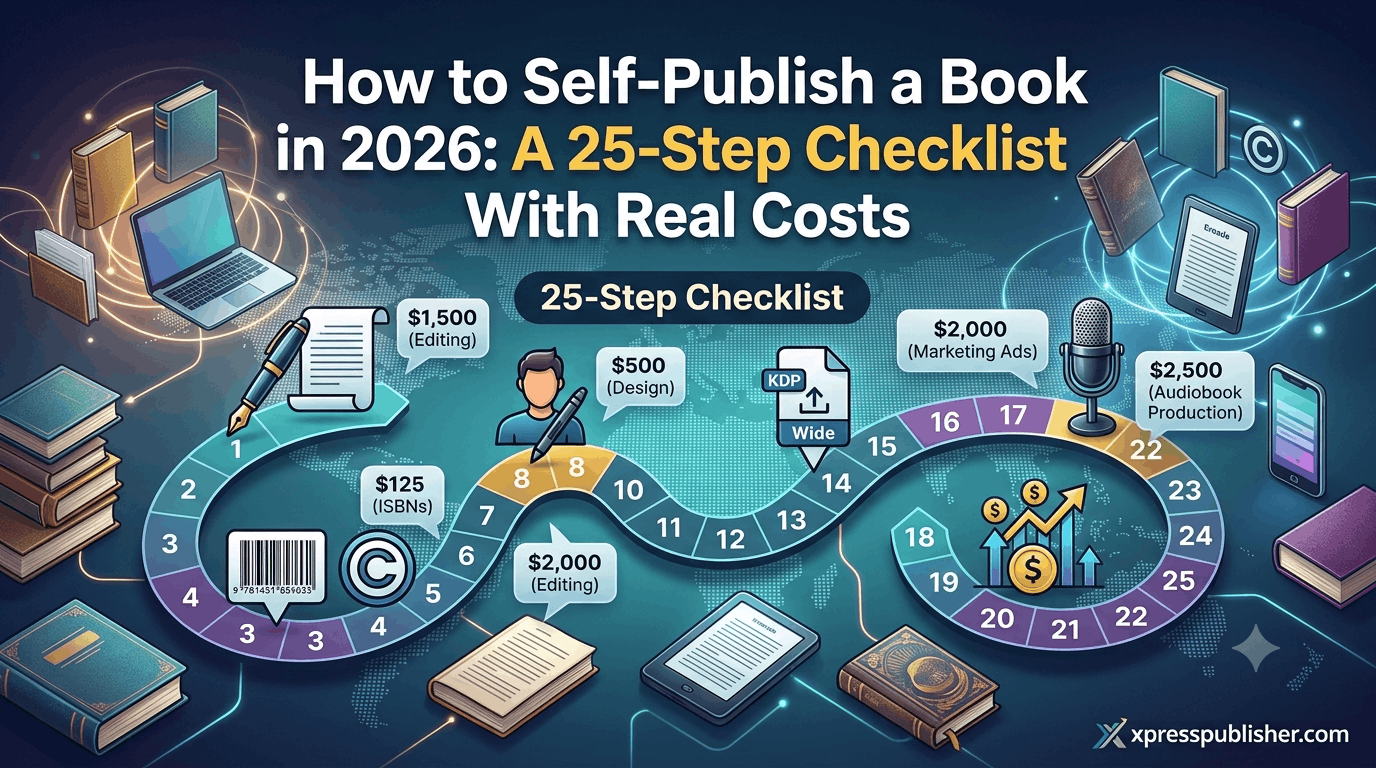
Most “how to self-publish a book” guides cover eight steps. Finish your manuscript. Get an ISBN. Upload to KDP. Celebrate.
What they leave out is everything in between. Those gaps determine whether your book looks and sells like a professional title or reads like something assembled in a rush by someone who read a guide with eight steps.
Self publishing a book is not complicated. It is, however, specific. Every step has a right way and a wrong way. The consequences show up in your reviews, your royalties, and whether readers finish your book or return it. This guide covers all twenty-five steps, organised by phase, with estimated costs and an honest answer to what happens if you skip each one.
The Five Phases of Self Publishing a Book
The twenty-five steps fall into five phases. Most authors who struggle have skipped half of Phase 1, most of Phase 4, and all of Phase 5. Here is the full sequence.
| Phase | Steps | What It Covers |
|---|---|---|
| 1. Pre-Production | 1–6 | Manuscript readiness, copyright, ISBN |
| 2. Production | 7–14 | Editing, cover, formatting, description |
| 3. Distribution Setup | 15–19 | Platform accounts, upload, categories |
| 4. Launch Preparation | 20–23 | Reviews, author page, A+ Content, pricing |
| 5. Post-Launch | 24–25 | Advertising, optimisation |
Phase 1: Pre-Production (Steps 1–6)
Step 1: Cold-Read Your Finished Manuscript
Print it out or load it on a device you don’t normally write on. Read it straight through as a reader, not as the author who knows what you meant to say. Note every place you lose the thread, every section that drags, every chapter ending that doesn’t earn the next one.
Cost: $0. Skip it and: your developmental editor charges more, because they’re fixing structural problems you already knew about.
Step 2: Get a Developmental Edit (If Your Structure Needs It)
Specifically, a developmental editor looks at the big picture — structure, pacing, argument flow, and whether the book does what it’s supposed to do. This is not copyediting. It’s the edit that asks whether the right book is here in the first place. Not every book needs one. A debut novel almost always does.
Cost: $500–$3,000. Skip it and: you may publish a book with structural problems that copyediting can’t fix. Readers who notice say so in reviews.
Step 3: Get a Copy Edit and Proofread
Copyediting catches grammar, punctuation, word choice, consistency, and sentence-level clarity. Proofreading is the final pass for what slipped through everything else. You need at least one. Ideally both. Don’t use spell-check alone. Don’t ask a friend who “is good with grammar.” A professional catches things all of those miss.
Cost: Copy edit $300–$1,500. Proofread $100–$500. Skip it and: you get reviews mentioning typos, errors, and unprofessional writing. Once posted, they stay.
Step 4: Register Your Copyright
In the US, copyright exists automatically from creation. Registration with the US Copyright Office strengthens your legal position if you ever need to pursue infringement. It’s the difference between claiming statutory damages and only being able to claim actual damages, which are difficult to prove. Costs $45–$65 and takes a few weeks.
Cost: $45–$65 (US). Skip it and: your copyright still exists. You’re in a weaker legal position if you ever need to defend it.
Step 5: Get Your ISBNs
Moreover, an International Standard Book Number is required for distribution to bookstores and libraries. KDP provides free ISBNs for print, but the publisher of record becomes Amazon. Purchasing your own from Bowker (US) or Nielsen (UK) lists you as the publisher. You need a separate ISBN for each format: ebook, paperback, hardcover.
Cost: $0 (free from KDP, Amazon listed as publisher) or $125 single ISBN from Bowker, $295 for 10. Skip it and: the platform, not you, is listed as publisher of record.
Step 6: Decide on Pen Name vs Real Name
This affects your Author Central page, your tax setup, and whether you can pivot genres later without confusing readers. Easier to decide before you’re on three platforms with different names entered differently.
Cost: $0. Skip it and: nothing catastrophic, but you may wish you’d thought it through once your author brand starts to take shape.
Phase 2: Production (Steps 7–14)
Step 7: Commission Your Cover
Your cover is your highest-leverage investment in self publishing a book. It determines whether readers click on your listing or scroll past it. The cover signals genre at a glance. Quality is communicated before a single sentence is read. A good cover is not optional — “good” means genre-appropriate, professional-looking at thumbnail size, with legible title text even when small.
A $300 cover from a genre-experienced designer beats a $2,000 cover from a general designer every time. The difference is genre knowledge. Designers outside your category don’t know what readers in it expect to see.
Cost: $200–$600 for custom. Pre-made covers run $50–$150. Skip it and: readers judge books by covers, reliably and immediately. An amateur cover signals an amateur book before page one.
Step 8: Format Your Interior for Print
Print formatting requires correct margins, consistent paragraph styles, controlled widows and orphans, and export to a press-ready PDF. Bleed and gutter allowances must be set correctly for the trim size. A Word document uploaded directly to KDP Print technically generates a book. It usually looks self-produced though: inconsistent spacing, bad hyphenation, orphaned lines at the top of pages.
For software, options include Vellum (Mac only), Atticus (cross-platform), Adobe InDesign (professional standard, steep learning curve), or Reedsy’s free formatter for basic books.
Cost: $0–$250 for DIY software. $50–$300 for a professional formatter. Skip it and: the book looks self-produced on the inside, even if the cover looks professional.
Step 9: Format Your Ebook File
Also, ebook formatting is separate from print formatting. The same file won’t work for both without adjustment. Most ebook platforms require EPUB format. Common mistakes: leaving in print-specific formatting, missing chapter navigation in the table of contents, or embedding fonts that don’t render on older Kindle devices.
Cost: $0 (format from Word, acceptable results) to $100–$200 for a professional EPUB. Skip it and: bad ebook formatting generates “the formatting was terrible” reviews that stay on your listing permanently.
Step 10: Write Your Book Description
Your book description is your sales page on Amazon. It is not a summary. It is copy, and it needs to sell. For fiction: start with core tension, establish stakes, end with a hook. Don’t give away the ending. For nonfiction: lead with the specific problem the book solves. Name your reader and state what they’ll be able to do after reading it. Use your first 150 characters carefully — that’s what shows before the “Read more” cut-off on mobile.
Cost: $0 (write it yourself) or $50–$200 (professional blurb writer). Skip it and: a weak description kills conversion. Traffic that arrives and doesn’t buy is wasted traffic.
Step 11: Choose Your Browse Categories
Amazon allows two categories at setup. After publication, you can request up to 10 by contacting KDP support directly. Specifically, this is not widely known, and most authors leave it at two. Category selection determines whether your book can achieve a bestseller tag, which improves click-through from search results. Narrower sub-categories are easier to rank in. A book ranked #1 in “Christian Nonfiction > Spiritual Warfare” gets a bestseller flag. The same book ranked #412 in “Religion & Spirituality” gets nothing.
Cost: $0. Skip it and: you leave significant discoverability on the table. Requesting 8–10 relevant categories after publication takes 10 minutes.
Step 12: Write Your 7 KDP Keyword Phrases
KDP gives you seven keyword fields, each accepting up to 50 characters. Use them as complete search phrases, not individual words. Don’t use your title or author name. Do use phrases like “Christian nonfiction about anxiety and faith” or “spiritual warfare devotional for women” — complete phrases that real people search for inside Amazon.
Cost: $0. Skip it and: your book is less discoverable in Amazon’s internal search, where the majority of book discovery on the platform actually happens.
Step 13: Set Your Price
For ebooks, the 70% KDP royalty tier requires pricing between $2.99 and $9.99. Below $2.99 or above $9.99, you drop to 35%. For fiction ebooks: $2.99–$5.99 is standard for most genres. For nonfiction ebooks: $4.99–$9.99. For print books: check what comparable titles sell for and price within that range. Pricing too low signals low quality. Pricing too high loses sales.
Cost: $0. Skip it and: you may publish at a price that’s out of step with reader expectations in your genre, which affects both conversion and perceived quality.
Step 14: Get Beta Readers
Additionally, beta readers read your completed draft and give feedback as readers, not editors. They tell you where they got bored, what confused them, which character they stopped caring about and when. Find them through genre-specific Facebook groups, subreddits for your genre, or swaps with other authors at a similar stage.
Cost: $0–$200. Skip it and: you miss the most reader-realistic feedback you’ll receive before publication.
Phase 3: Distribution Setup (Steps 15–19)
Step 15: Set Up Your KDP Account
Create an account at kdp.amazon.com before you’re ready to publish. You’ll need your tax information (W-9 for US, W-8BEN for international) and a bank account for royalty payments. Tax form processing takes time. Get this done early.
Cost: $0. Skip it and: you can’t publish on Amazon.
Step 16: Upload and Publish Your Ebook
Upload your formatted file and cover. Preview using KDP’s online previewer on both mobile and desktop — formatting issues look different at different screen sizes. Submit and wait 24–72 hours for review.
Cost: $0. Publication time: 24–72 hours.
Step 17: Decide on KDP Print vs IngramSpark for Print
KDP Print is free and earns 60% royalties on Amazon sales. Its distribution to bookstores is minimal. IngramSpark costs $49 per title and requires print-ready PDFs. It connects to Ingram’s 40,000+ retailer and library network. The professional standard: use KDP Print for Amazon, IngramSpark for everything else.
Cost: $0 (KDP Print) or $49 per title (IngramSpark). Skip IngramSpark and: your print book is effectively not available to bookstores or libraries.
Step 18: Set Up Wide Ebook Distribution
If you’re not in KDP Select, publish your ebook to Kobo Writing Life, Barnes & Noble Press, Apple Books, and Google Play Books. Alternatively, use Draft2Digital to manage all platforms from one upload. Each platform has its own audience. In some international markets, Kobo is larger than Kindle.
Cost: $0. Skip it and: you leave revenue from non-Amazon ebook readers on the table.
Step 19: Set Up Amazon Author Central
First, claim your author page at author.amazon.com, add a biography, link your books, and upload a photo. Set this up the day your book goes live. A blank or unclaimed author page reads as unprofessional to readers who look you up.
Cost: $0.
Phase 4: Launch Preparation (Steps 20–23)
Step 20: Build Your ARC List and Get Advance Reviews
Send free Advance Review Copies to readers before publication in exchange for honest reviews posted at launch. A book that launches with 10–20 genuine reviews performs dramatically better than one that launches cold. Reviews are a ranking signal, a social proof signal, and a trust signal simultaneously. Find ARC readers through genre-specific Facebook groups, NetGalley, StoryOrigin, or BookFunnel.
Cost: $0–$250. Skip it and: you launch with no social proof. Conversion from page views to sales will be significantly lower.
Step 21: Set Up A+ Content
Also, A+ Content lets you add formatted sections below your book description — additional images, comparison tables, formatted text blocks. Studies of comparable listings consistently show it improves conversion rates. Access it inside your KDP account under “Marketing.” It’s free and available after your book is published.
Cost: $0. Skip it and: your listing looks like every other default listing on Amazon.
Step 22: Plan Your Launch Week
Amazon’s algorithm weights early sales velocity when deciding which new books to surface to readers. Concentrated sales in the first 3–7 days are more effective than a slow trickle over two weeks. Email your list on day one and post to social media. Ask your ARC readers to post reviews. Reach out to any communities you’re part of.
Cost: $0–$200 for basic launch activities. Skip it and: your book enters the market without momentum.
Step 23: Verify Your Pricing Against Comparable Titles
Before going live, search for five to ten books in your genre that are selling well. Check their ebook and print prices. Make sure yours are in the right range. A mismatch in either direction costs you sales or signals poor value.
Cost: $0.
Phase 5: Post-Launch (Steps 24–25)
Step 24: Set Up Amazon Ads
Amazon Advertising runs inside your KDP account. Start with Sponsored Product ads and set a daily budget of $3–$5. Use automatic targeting to let Amazon find relevant searches first. After two weeks, check which terms are converting and adjust. This doesn’t require expertise to start — it requires patience and small daily testing budgets. Most authors who generate consistent income from self publishing a book run some form of paid advertising.
Cost: Start at $3–$10/day.
Step 25: Monitor, Optimise, and Repeat
Check your KDP reports weekly. Monitor your reviews. If your click-through rate on ads is low, your cover may need testing. If conversion from page views to sales is low, your description may need work. If Kindle Unlimited page reads are falling, your hook may not be strong enough. The authors who build real income from self publishing a book don’t stop at publication. They learn from each title and compound over time.
Cost: $0 for monitoring. Variable for improvements.
What It Actually Costs to Self-Publish a Book
Here is a realistic cost breakdown across three budget levels. Costs vary by manuscript length, editor experience, and how much you choose to outsource.
| Step | Budget ($) | Mid-Range ($) | Professional ($) |
|---|---|---|---|
| Developmental edit | 0 | 800 | 2,000 |
| Copy edit / proofread | 150 | 600 | 1,200 |
| Cover design | 50 | 300 | 600 |
| Interior formatting (print) | 0 | 150 | 300 |
| Interior formatting (ebook) | 0 | 100 | 200 |
| ISBN(s) | 0 | 65 | 125 |
| Copyright registration | 0 | 65 | 65 |
| IngramSpark setup | 0 | 49 | 49 |
| Launch / ARC activities | 0 | 100 | 250 |
| Initial ad budget (month 1) | 0 | 100 | 300 |
| TOTAL ESTIMATE | ~$200 | ~$2,329 | ~$5,089 |
The budget option is possible. It’s also the path most likely to produce a book that looks and feels like a low-budget project. The professional tier is what it takes to produce something that competes with traditionally published titles on the same shelf.
Most XpressPublisher clients land somewhere in the mid-range to professional tier. If you’d like a professional publishing team to handle phases 2 through 4 while you keep all rights and all royalties, see our publishing packages. Also worth reading: our breakdown of the major self-publishing platforms and our complete guide to how KDP works.
Frequently Asked Questions About Self Publishing a Book
How long does it take to self-publish a book?
If you have a finished, edited manuscript and professional files, self publishing a book on KDP takes 24–72 hours for ebook review and up to 5 business days for print. The full production process — editing, cover design, formatting, and distribution setup — typically takes 4–12 weeks depending on how many steps you handle yourself.
How much does it cost to self-publish a book?
Self publishing a book costs $0 to upload to KDP. The real costs are production: editing ($300–$3,000), cover design ($50–$600), and interior formatting ($0–$500). A budget self-published book can be produced for under $500. A professional-quality book that competes with traditionally published titles typically costs $2,000–$5,000 in total production expenses.
Do I need an editor to self-publish a book?
Technically no. In practice, skipping professional editing is the most common reason self-published books receive negative reviews about errors and unprofessional writing. At minimum, a proofread by a professional is worth the investment. A copy edit is better. A developmental edit is worth considering for any book with a complex structure or narrative.
Should I use KDP Select or go wide when self publishing a book?
KDP Select enrolls your ebook in Kindle Unlimited and gives Amazon exclusive digital rights for 90-day periods. Going wide means publishing on KDP, Kobo, B&N Press, Apple Books, and other platforms without exclusivity. KDP Select works best for fiction authors in genres with strong Kindle Unlimited readership. Going wide works better for nonfiction authors and those who want a presence beyond Amazon.
Can self-published books get into physical bookstores?
Yes, but it requires IngramSpark. IngramSpark connects your title to Ingram’s wholesale distribution network, which is the same channel bookstores and libraries order from. Being in the Ingram catalogue makes your book orderable by any bookstore; it doesn’t guarantee they’ll stock it. For physical shelf placement, authors typically need professional packaging, a strong pitch, and often a local connection to the bookstore.
What is an ARC and how do I get ARC readers?
An ARC (Advance Review Copy) is a free pre-publication copy given to readers in exchange for an honest review posted on or after launch day. Find ARC readers through genre-specific Facebook groups, subreddits for your genre, and ARC services like StoryOrigin or BookFunnel. The goal is 10–20 reviews in place at launch. Books that launch with reviews convert significantly better than books that launch cold.
[…] USA and UK. You retain all rights and all royalties from every platform. Also worth reading: our complete self-publishing checklist and our guide to book editing types and […]
[…] authors in the USA and UK. All rights and royalties stay with you. Also worth reading: our guide to the complete self-publishing process and our breakdown of every publishing option […]
[…] your distribution correctly from the start — including both ebook and print platforms — see our 25-step self-publishing checklist and our guide to self-publishing platforms compared. If you want professional help setting up your […]
[…] are designed specifically for the UK and US markets. Also worth reading: our complete guide to the self-publishing process and our breakdown of KDP Print vs IngramSpark for print distribution […]